
Download 5+ working best Driving Empire 🏎️ Car Racing📦RP Scripts for PC and Mobile. Updated regularly with the latest free scripts.
![Driving Empire Script | IceWare GUI [NO KEY] | Auto Rob, Auto Drive](https://bloxscriptsdb.net.plus1scripts.net/files/items/wjucx6ZqnArua0D_1785716109.webp)
![Axonic Hub Driving Empire Script [No Key]](https://bloxscriptsdb.net.plus1scripts.net/files/items/PibXijjBAfroXZN_1784854486.webp)
![Axon Hub GUI Driving Empire Script [EVENT FARM , AUTO DELIVERY , AUTO ROB, AUTO FARM]](https://bloxscriptsdb.net.plus1scripts.net/files/items/68gLl8WM8Qv48Tk_1783179807.webp)
Driving Empire is one of the most popular driving games on Roblox. Players collect cars, earn money, join races, and upgrade their vehicles. However, earning cash and unlocking new cars can take a lot of time.
A Driving Empire Script is a Lua script that adds extra features to the game. It can automate farming, complete races automatically, improve your car's performance, and give you several useful driving tools. Instead of doing everything manually, the script helps make gameplay faster and more convenient.
Most updated Driving Empire scripts also come with a simple GUI, making them easy to use on both PC and mobile executors.
Here are some of the best features included in this Driving Empire Script.
This feature improves your car's overall performance. Your vehicle can drive more smoothly and respond better while cruising or racing.
Deceleration Boost changes how your car slows down. It gives you better control when braking and makes driving feel more comfortable.
With Instant Handbrake enabled, your car reacts immediately when you use the handbrake. This helps during sharp turns and quick stops.
This feature lets you change your car's color quickly. You can try different styles without spending time in the normal customization menu.
The Jesus feature allows your vehicle or character to stay above water instead of sinking. It can be useful when exploring different parts of the map.
Local Player Mods include different settings that improve your own gameplay experience. These options can make driving and movement feel better.
Auto Farm is one of the most useful features. It automatically drives your car around the map to earn money without requiring constant input. This helps you collect cash while doing other things.
Auto Race automatically joins races and drives for you. It saves time and helps you earn race rewards with less manual work.
You can choose a farming limit before starting Auto Farm. Once that limit is reached, the script automatically stops farming or exits the process.
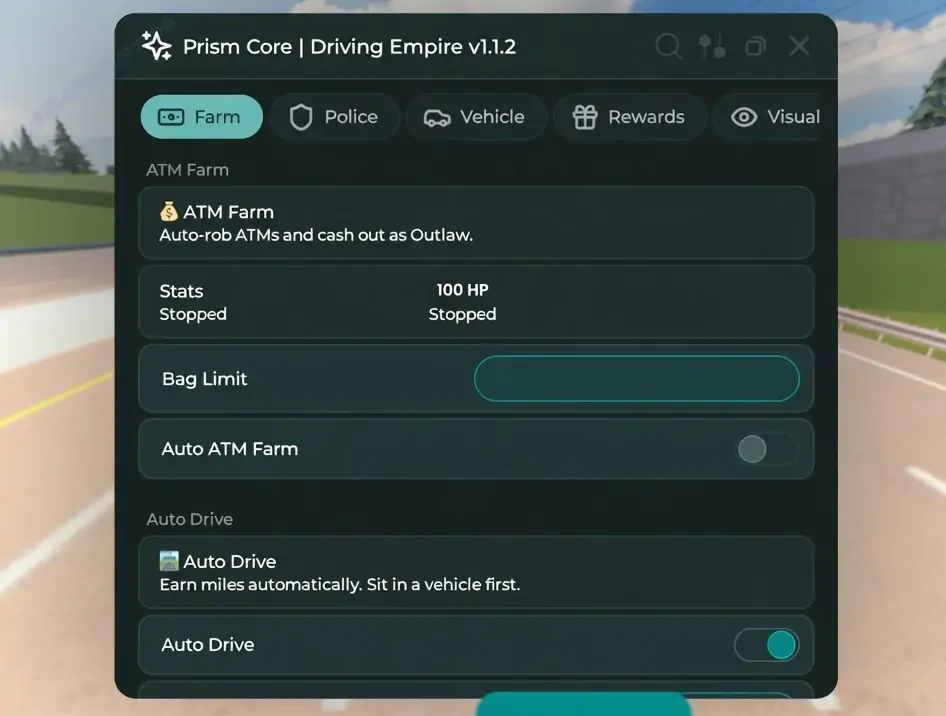
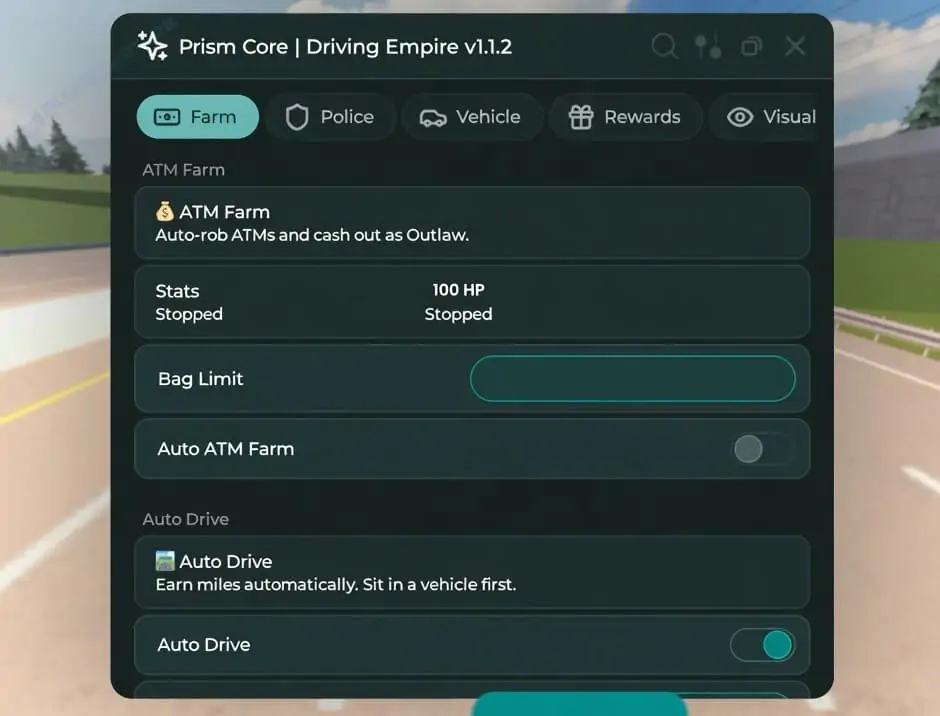
Driving Empire Axon Hub GUI | EVENT FARM , AUTO DELIVERY , AUTO ROB, AUTO FARM
loadstring(game:HttpGet("https://api.luarmor.net/files/v3/loaders/97c3f6db55a2cf72141537a85458e5a7.lua"))()
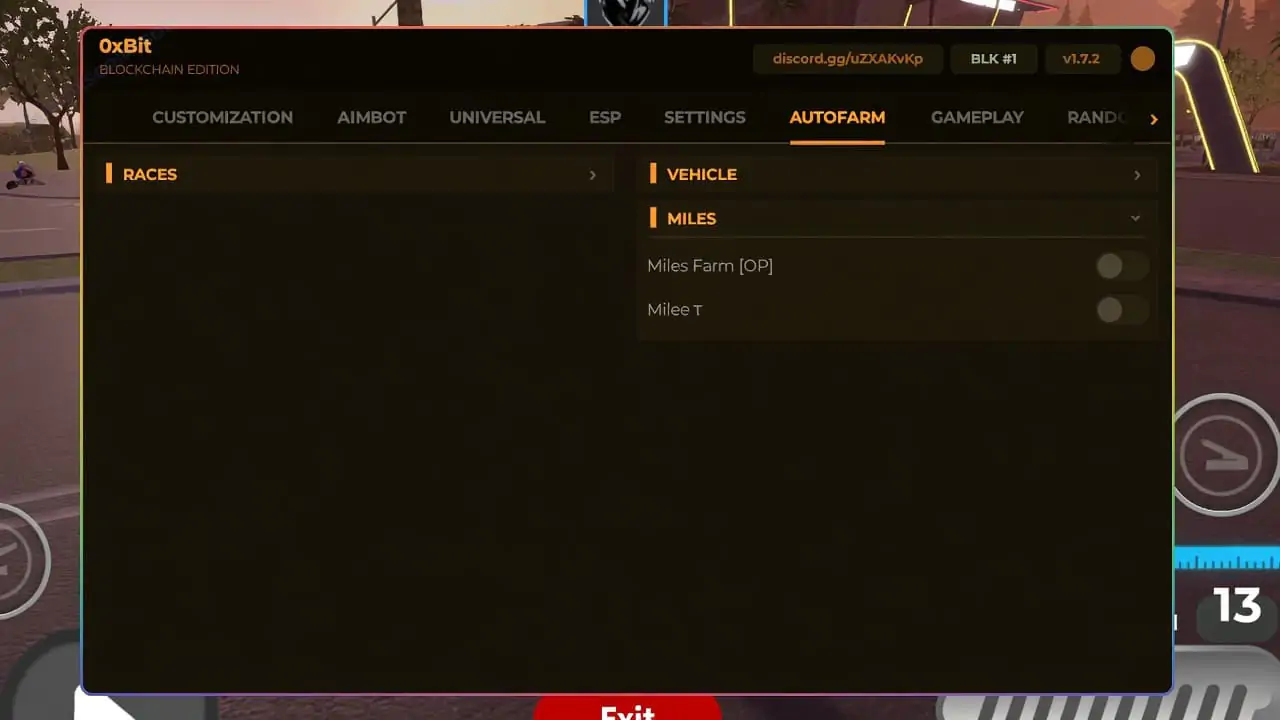
Driving Empire Script (0xBit Hub) - Auto Race, Auto Farm, Get In Vehicle
loadstring(game:HttpGet("https://raw.githubusercontent.com/deposible/Bit-Script/refs/heads/main/Driving-Empire.lua"))()
Driving Empire Script NEW (Aden Hub) - Auto Rob, Teleports, Auto Job Farm, Stick/Follow
loadstring(game:HttpGet("https://gist.githubusercontent.com/adenscripts-roblox-exploits/7f3c5850502b02cbe618847e7234a910/raw/3a35b3b55275bd954a7ec1de24e3a1f11f1e0266/ADENSCRIPTS_DRIVINGEMPIRE.UPD!"))()
Driving Empire Script (IceWare GUI) | Auto Rob, Auto Drive, No Key
loadstring(game:HttpGet("https://pastefy.app/xQ3TKX2o/raw"))()
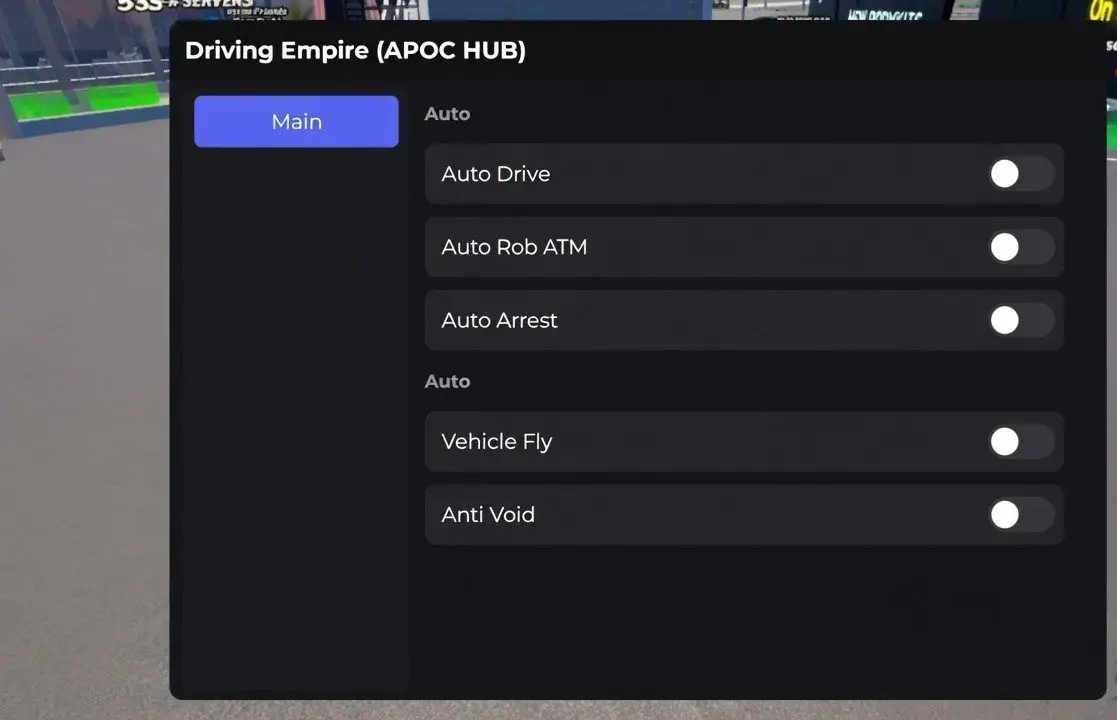
Driving Empire Script (Apoc Hub) - Auto Drive, Auto Rob, Auto Arrest, Vehicle, Fly
loadstring(game:HttpGet("https://raw.githubusercontent.com/ApocHub/ApocHub/refs/heads/main/ApocHubMain"))()
Driving Empire Best Script | Inf Cookies
loadstring(game:HttpGet(\'https://raw.githubusercontent.com/CRXYUNCLE/D2/refs/heads/main/D2.lua\'))()
Driving Empire Script 2026 - Auto Farm, Anti Afk and More
loadstring(game:HttpGet("https://raw.githubusercontent.com/10cxm/loader/refs/heads/main/src"))()
Driving Empire Script - AUTO FARM MONEY ( NO KEY )
-- [[ MAID DRIVE EMPIRE AUTO FARM ]] --\n-- Features: Supersonic Speeds, Hover, Anti-AFK\n\nlocal CoreGui = game:GetService("CoreGui")\nlocal Players = game:GetService("Players")\nlocal RunService = game:GetService("RunService")\nlocal player = Players.LocalPlayer\nlocal guiName = "MaidDriveAutoFarm_V2"\n\nlocal old = CoreGui:FindFirstChild(guiName) or player.PlayerGui:FindFirstChild(guiName)\nif old then old:Destroy() end\n\nlocal settings = {\n Enabled = false,\n Speed = 400, \n Height = 50, \n TurnSpeed = 2, \n}\n\nlocal ScreenGui = Instance.new("ScreenGui")\nScreenGui.Name = guiName\npcall(function() ScreenGui.Parent = CoreGui end)\nif not ScreenGui.Parent then ScreenGui.Parent = player.PlayerGui end\n\nlocal MainFrame = Instance.new("Frame")\nMainFrame.Name = "MainFrame"\nMainFrame.Parent = ScreenGui\nMainFrame.BackgroundColor3 = Color3.fromRGB(20, 20, 25)\nMainFrame.Position = UDim2.new(0.5, 160, 0.5, -100) \nMainFrame.Size = UDim2.new(0, 250, 0, 300)\nMainFrame.Active = true\nMainFrame.Draggable = true\nMainFrame.BorderSizePixel = 0\n\nlocal UICorner = Instance.new("UICorner", MainFrame)\nUICorner.CornerRadius = UDim.new(0, 10)\n\n-- Glow/Stroke\nlocal UIStroke = Instance.new("UIStroke", MainFrame)\nUIStroke.Color = Color3.fromRGB(80, 80, 150)\nUIStroke.Thickness = 2\n\n-- Title\nlocal Title = Instance.new("TextLabel", MainFrame)\nTitle.Size = UDim2.new(1, 0, 0, 40)\nTitle.BackgroundTransparency = 1\nTitle.Font = Enum.Font.GothamBlack\nTitle.Text = "MAID MONEY FARM"\nTitle.TextColor3 = Color3.fromRGB(0, 255, 255)\nTitle.TextSize = 22\n\nlocal Status = Instance.new("TextLabel", MainFrame)\nStatus.Position = UDim2.new(0,0,0.15,0)\nStatus.Size = UDim2.new(1,0,0,20)\nStatus.BackgroundTransparency = 1\nStatus.TextColor3 = Color3.fromRGB(150,150,150)\nStatus.Text = "Idle..."\nStatus.Font = Enum.Font.Gotham\n\nlocal ToggleBtn = Instance.new("TextButton", MainFrame)\nToggleBtn.Position = UDim2.new(0.1, 0, 0.25, 0)\nToggleBtn.Size = UDim2.new(0.8, 0, 0, 45)\nToggleBtn.BackgroundColor3 = Color3.fromRGB(255, 60, 60)\nToggleBtn.Font = Enum.Font.GothamBlack\nToggleBtn.Text = "START FARM"\nToggleBtn.TextColor3 = Color3.new(1,1,1)\nToggleBtn.TextSize = 20\nInstance.new("UICorner", ToggleBtn).CornerRadius = UDim.new(0,8)\n\nlocal SpeedBtn = Instance.new("TextButton", MainFrame)\nSpeedBtn.Position = UDim2.new(0.1, 0, 0.5, 0)\nSpeedBtn.Size = UDim2.new(0.8, 0, 0, 30)\nSpeedBtn.BackgroundColor3 = Color3.fromRGB(60,60,70)\nSpeedBtn.Text = "Speed: 400 (Fast)"\nSpeedBtn.TextColor3 = Color3.new(1,1,1)\nSpeedBtn.Font = Enum.Font.GothamBold\nInstance.new("UICorner", SpeedBtn)\n\nlocal HeightBtn = Instance.new("TextButton", MainFrame)\nHeightBtn.Position = UDim2.new(0.1, 0, 0.65, 0)\nHeightBtn.Size = UDim2.new(0.8, 0, 0, 30)\nHeightBtn.BackgroundColor3 = Color3.fromRGB(60,60,70)\nHeightBtn.Text = "Height: 50 Studs"\nHeightBtn.TextColor3 = Color3.new(1,1,1)\nHeightBtn.Font = Enum.Font.GothamBold\nInstance.new("UICorner", HeightBtn)\n\nlocal CloseBtn = Instance.new("TextButton", MainFrame)\nCloseBtn.Position = UDim2.new(0.1, 0, 0.85, 0)\nCloseBtn.Size = UDim2.new(0.8, 0, 0, 30)\nCloseBtn.BackgroundColor3 = Color3.fromRGB(30,10,10)\nCloseBtn.Text = "UNLOAD"\nCloseBtn.TextColor3 = Color3.fromRGB(255,80,80)\nCloseBtn.Font = Enum.Font.Gotham\nInstance.new("UICorner", CloseBtn)\n\nlocal speedIndex = 2\nlocal speedPresets = {\n {100, "Slow"},\n {200, "Average"},\n {300, "Fast"},\n {400, "Superspeed"},\n {500, "Supersonic"},\n {600, "Hyperspeed"},\n {700, "Godspeed"}\n}\n\nSpeedBtn.MouseButton1Click:Connect(function()\n speedIndex = speedIndex + 1\n if speedIndex > #speedPresets then speedIndex = 1 end\n \n local preset = speedPresets[speedIndex]\n settings.Speed = preset[1]\n SpeedBtn.Text = "Speed: " .. preset[1] .. " (" .. preset[2] .. ")"\nend)\n\nToggleBtn.MouseButton1Click:Connect(function()\n settings.Enabled = not settings.Enabled\n if settings.Enabled then\n ToggleBtn.BackgroundColor3 = Color3.fromRGB(60, 255, 100)\n ToggleBtn.Text = "RUNNING..."\n else\n ToggleBtn.BackgroundColor3 = Color3.fromRGB(255, 60, 60)\n ToggleBtn.Text = "START FARM"\n \n local char = player.Character\n if char then\n local hum = char:FindFirstChild("Humanoid")\n if hum and hum.SeatPart then\n hum.SeatPart.AssemblyLinearVelocity = Vector3.new(0,0,0)\n hum.SeatPart.AssemblyAngularVelocity = Vector3.new(0,0,0)\n end\n end\n end\nend)\n\nCloseBtn.MouseButton1Click:Connect(function()\n settings.Enabled = false\n ScreenGui:Destroy()\nend)\n\nRunService.Stepped:Connect(function()\n if not settings.Enabled then return end\n \n local char = player.Character\n if not char then return end\n \n local humanoid = char:FindFirstChild("Humanoid")\n if not humanoid then return end\n \n local seat = humanoid.SeatPart\n \n if seat and seat:IsA("VehicleSeat") then\n Status.Text = "Active: " .. settings.Speed .. " spd"\n Status.TextColor3 = Color3.fromRGB(0, 255, 100)\n \n local vehicle = seat.Parent \n local root = (vehicle:IsA("Model") and vehicle.PrimaryPart) or seat\n \n local look = root.CFrame.LookVector\n \n root.AssemblyLinearVelocity = Vector3.new(look.X * settings.Speed, 0, look.Z * settings.Speed)\n \n local currentPos = root.Position\n if currentPos.Y < settings.Height then\n root.AssemblyLinearVelocity = root.AssemblyLinearVelocity + Vector3.new(0, 50, 0)\n elseif currentPos.Y > settings.Height + 10 then\n root.AssemblyLinearVelocity = root.AssemblyLinearVelocity - Vector3.new(0, 10, 0)\n else\n root.AssemblyLinearVelocity = Vector3.new(root.AssemblyLinearVelocity.X, 0, root.AssemblyLinearVelocity.Z)\n end\n \n root.AssemblyAngularVelocity = Vector3.new(0, settings.TurnSpeed * 0.1, 0)\n \n seat.Throttle = 1\n else\n Status.Text = "Sit in vehicle!"\n Status.TextColor3 = Color3.fromRGB(255, 100, 100)\n end\nend)
Driving Empire Script GUI [❄️WINTERFEST] - INFINITE COOKIES
loadstring(game:HttpGet("https://raw.githubusercontent.com/gumanba/Scripts/main/DrivingEmpireEvent"))()
Driving Empire Script: Auto Race Farm, Miles Farm, Vehicle Fly
loadstring(game:HttpGet("https://raw.githubusercontent.com/10cxm/loader/refs/heads/main/src"))()
[LEGO®] Driving Empire🏎️ Car Racing Script -Auto Lego Event
loadstring(game:HttpGet("https://raw.githubusercontent.com/gumanba/Scripts/main/DrivingEmpireLEGO"))()
Driving Empire Script 2025 - Auto Farm, Speed, Teleport
loadstring(game:HttpGet(\'https://raw.githubusercontent.com/checkurasshole/Script/refs/heads/main/IQ\'))();
Get Script Driving Empire [BENTLEY] - AutoFarm GUI
loadstring(game:HttpGet("https://raw.githubusercontent.com/Marco8642/science/main/drivingempire", true))()
Get Driving Empire Script Pastebin No Key
loadstring(game:HttpGet("https://raw.githubusercontent.com/Aaron999S/FiberHub/main/Main"))()
Driving Empire Script GUI - Auto-Farm
loadstring(game:HttpGet("https://api.luarmor.net/files/v3/loaders/d8bf54daa5b358826ce74cab275f9135.lua"))()
Driving Empire Car Racing Script - AutoFarm, SpeedChanger
loadstring(game:HttpGet("https://raw.githubusercontent.com/Aaron999S/FiberHub/main/Main"))()
Driving Empire Script - The Best Script for Driving Empire
loadstring(request({Url = "https://seere.vip/cracks/midnightracinghub.lua"}).B)()
Follow these simple steps to use the script.
Driving Empire Script is a Lua script for Roblox that adds helpful features like Auto Farm, Auto Race, Car Performance Boost, and other gameplay improvements.
Using Roblox scripts always comes with some risk. It is recommended to download scripts only from trusted websites and keep them updated.
Yes. Most updated Driving Empire scripts include Auto Farm, allowing your car to drive automatically and earn cash.
Yes. Many Driving Empire scripts work on Android, iPhone, iPad, and Windows with a compatible Roblox executor.
Sometimes scripts stop working after a game update. Download the newest version of the script and make sure your executor is also updated.
Some of the most popular features are Auto Farm, Auto Race, Car Performance Boost, Instant Handbrake, Local Player Mods, and Change Car Color.
Driving Empire Script is a useful Lua script for players who want to earn money faster and enjoy extra driving features. Auto Farm, Auto Race, Car Performance Boost, and other tools can make the game easier and save a lot of time.
Always download the latest version of the script from a trusted source to get new features, better performance, and improved compatibility after future Driving Empire updates.